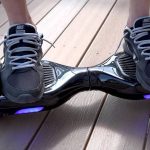
Sit tight, folks; we will crack the case of “Why won’t my hoverboard turn on after charging?” Today, many a tech-savvy individual would be humbled by the challenge of rogue hoverboards sputtering out.
It’s not exactly like they came with a granddaddy of all user manuals, now, did they? But fret not; we’re going to get down and dirty with the most common culprits causing your all-time favorite tech toy to keep its eyes shut.
Key Takeaways
Hoverboard refusal to turn on can be traced back to various problems: battery, wiring, charger, or a defective hoverboard itself.
Some problems can be fixed at home, while others might require professional hoverboard repair services.
Proper maintenance can extend the life of your hoverboard and keep it running smoothly.
Understanding Why Your Hoverboard Won’t Turn On After Charging: The Common Culprits
Remember the time when your hoverboard was made to be the life of the party? Zooming around like you’re George Jetson from the 22nd century. If that fun rider isn’t turning on now, it’s high time we sniffed out the problem. It could be that you have a charger-to-hoverboard connection problem.
There might also be something wrong with the battery, or you may need to reset the hoverboard. Heck, you might even need to replace the motherboard. But don’t you worry; we’ll walk you through it and get your hoverboard running smoother than a hot knife through butter.
Battery Issues: A Common Problem with Hoverboards
Alright, so here’s the scoop. Your hoverboard is a fancier version of that good old self-balancing scooter. If it doesn’t turn on, battery issues might be causing a boatload of trouble. Say your battery is damaged, or the charger and battery aren’t talking to each other.
You might plug in your charger and connect, but you get a flashing orange light instead of a nice green indicator light. That isn’t promising. Now, don’t just scratch your head if your hoverboard flashes an orange battery indicator.
It could mean your battery management system is having a meltdown. Keep an eye out for a decrease in battery life. If you notice one, my friend, you might be dealing with a defective hoverboard battery. It’s time to consider investing in a replacement hoverboard battery, eh?
Wiring Issues: Disconnected or Frayed Wires May Be to Blame
You remember when you took a really bad tumble with your hoverboard, yeah? Well, such high-impact knocks or falls can cause a wiring issue inside that nifty gadget you’re trying to turn on. The hoverboard’s internal wiring can become loose, or worse, the wires may get burnt or frayed.
No way! A loose wire or a fried one results in insufficient power flow. Just like an overturned truck on a highway, it blocks the circuitry, causing disruption. But don’t worry; even if this sounds like a pickle, some hoverboard repair can untangle this mess.
Charger Problems: Is Your Charger Failing?
The green indicator light on your charger is crucial. It’s like the eye of a mythical creature, telling tales of mythical charger beasts, doing their job, or taking a long snooze.
When you plug the charger into your hoverboard, it should blush a healthy red for at least a minute or two, almost like it’s charged up and ready for the race. But if the light stays green or doesn’t even bother to turn up, you may be dealing with a broken hoverboard charger.
And nobody likes broken stuff, right? Remember, using a charger compatible with your hoverboard is as essential as wearing the right-sized shoes – both are about good fit and function. If you’re running a six hoverboard, get the right charger. Also, consider the proper Amperage rating.
Treat your hoverboard like it’s got dietary requirements – stick to the charger it was designed to be with – one that’s compatible with your hoverboard and doesn’t risk causing any upsets.
Motherboard Complications: A Key Element in Your Hoverboard’s Function
Imagine the motherboard being the brain of your hoverboard. When the brains aren’t right, the ride isn’t smooth. If your self-balancing scooter doesn’t turn on when you’re coaxing that power button, you might be dealing with some faulty wiring.
It’s like the brain wires lacking the right sparks, and we all know those sparks are vital for all the magic to happen. You will not want to ignore such hoverboard issues, as they are your machine’s Morse codes seeking immediate attention.
Defective Hoverboard: When Your Hoverboard Is the Issue
Life was never promised to be free of hurdles, and your hoverboard is no exception. Sometimes, you could be staring at hoverboard problems beyond charger issues or faulty wiring. Plug in the charger, and if the charger stays green, your hoverboard might be playing hard to get.
It could be due to several reasons, like manufacturing or shipping mishaps that landed you with a faulty hoverboard. To solve the problem, look for a reset button and try giving your hoverboard a fresh start – a little reboot can sometimes fix the problem.
But if that doesn’t help, you may need to delve deeper. Check the battery voltage using a voltmeter or multimeter. Get to know your hoverboard’s regular voltage in the owner’s manual and compare. If something seems off, reach out to customer service for your specific hoverboard model – they might have a trick or two up their sleeves.
What To Do When Your Hoverboard Won’t Turn On? A Step-by-Step Guide.
Alright, so your hoverboard won’t turn on, and you’re wondering what to do. No need to break a sweat or your piggy bank. Follow this step-by-step guide, armed with some handy hoverboard repair tips. You’ll be turning corners and cruising streets in no time.
First, ensure you connect the charger to the hoverboard properly. Sometimes, the simplest solution is to ensure you have all the plugs in the right sockets.
Hoverboard Power Troubleshooting: What to Consider
When it comes to hoverboard power troubleshooting, consider whether your device is charging properly. Are there any pesky lights not behaving the way they should or stubborn plugs refusing to connect? Being observant can help you spot many hoverboard issues.
Trust me, it’s like watching a thriller movie – every little detail counts! So remember to turn on the hoverboard properly and check all the parts carefully. You never know where you could find clues to your hoverboard’s mystery ailments.
Inspecting Charger Problems: A Deeper Dive
Now, let’s talk about your charger. Sometimes, if the hoverboard doesn’t kick into gear after charging, that pesky charger might be causing some mischief. A common issue with these chargers is circuit damage.
Kind of like the motherboard or logic board in your computer, the charger also has sophisticated circuitry. And if that gets damaged, it’s like trying to pour water into a cup with a hole in the bottom – it just isn’t going to work!
Addressing Battery Problems: Is Your Battery Failing?
Switching gears, let’s shine a light on the battery. You see, the battery is where the power comes from, so when your hoverboard doesn’t turn on after charging, it could be the battery throwing a tantrum.
It might not be charging properly, or the green indicator light that shows it’s fully charged might be fibbing. If you connect the charger to the hoverboard and there’s no light to show it’s juicing up, you might be dealing with a faulty battery.
Ensuring Your Hoverboard’s Longevity: Maintenance Tips
Long story short, the lifespan of your hoverboard hugely depends on the love and care you give it. Now, we aren’t talking about smothering it in kisses or anything crazy like that, but regular maintenance is crucial.
Many problems that stop your hoverboard from turning on after charging can be traced back to damage or poor upkeep. However, if you handle your gizmo with care, it’s going to stick around for years. Let’s dive into a couple of maintenance tips that will help prolong your hoverboard’s life span and keep it raring to go.
Keeping Your Hoverboard Battery Charged: Why it’s Important
First off, get to grips with the battery issues. If your hoverboard isn’t starting up, the battery’s to blame. Keep that battery well-charged, folks. Why? A well-charged battery ensures optimal performance and also expands its lifespan.
So, you might want to replace the battery from time to time. But how do you know if you got a faulty charger or a battery issue? Simply, you check the voltage using a voltmeter.
No need to worry; modern electric scooters have made it a piece of cake. Don’t just unplug the charger when you’re done using the hoverboard. Ensure you give it a good look to ensure it’s charging properly.
Cleaning Your Hoverboard Regularly: Promoting Optimal Functioning
Your hoverboard is like your best pair of dance shoes – it needs regular cleaning to keep it sparkling and performing at its best. Remember, dust and grime can lead to everything from battery malfunctions to faulty wiring and can muck up your ride.
A dirty hoverboard is the first ticket to trouble town, folks. Not to mention, it just isn’t pretty. So, grab a cloth, maybe a little soap, and give your ride a good old-fashioned scrub down occasionally. That way, you’ll keep those common hoverboard faults at bay.
Monitoring the Hoverboard’s Temperature: Why It Matters
Last but not least, keep an eye on your hoverboard’s temperature. Just like us humans, hoverboards don’t do well in extreme cold or heat. If it’s frosting outside, think twice before taking your ride out for a spin.
And if it’s so hot you could fry an egg on the sidewalk, let your hoverboard have a well-deserved rest. Extreme temperatures can lead to charger issues, circuit board problems, and a host of other technical hitches.
So do yourself a favor and keep your hoverboard in a cool and dry place when you’re not using it.
That’s a clear sign of a faulty battery. The green light means your hoverboard is getting power, but if it still isn’t turning on, then you’ve got yourself a battery that needs replacing.
Typically, you should be charging your hoverboard for about 2-3 hours. Some models might require slightly more or less, so it’s best to check your manual just in case.
Not necessarily. But, if your hoverboard still won’t turn on after changing the battery, and you’ve ruled out wiring problems, then a faulty charger might be the issue.
Sure, you can do a basic inspection. If you notice any frayed wires or loose connectors, you’ll want to get those fixed. However, always remember safety first. If you’re not confident, leave it to the pros.
Final Roundup: Solving the Mystery of a Hoverboard That Won’t Turn On
Alright, let’s wrap up this article. Remember, most problems with your hoverboard not turning on after charging are caused by battery issues, a faulty charger, or poor maintenance. Remember to keep an eye on that temperature and clean your hoverboard regularly.
And if all else fails, maybe it’s time to replace the battery or check out those hoverboard repair parts. Remember, while hoverboards can be a blast, safety should always be your top priority. Now that you are all clued in, get out there and solve the mystery of “Why Won’t My Hoverboard Turn On After Charging?” You got this!
Hi! My name is Johnathan, and I am the creator of ScooterAdvice360.com. Having been riding motor scooters and bikes for over 20 years, I have picked up a few things! I ran my own scooter store in Florida, selling all manner of motor scooters, mobility scooters, hoverboards, e-scooters and accessories, from Forzas to Vipers, Hellcats to Vespas.
Here, at ScooterAdvice360.com, I want to ensure everyone has access to the information that they need to enjoy their bikes and scooters for longer.